I Built a SaaS Video Ad in 30 Minutes With AI
No editing timeline. No stock footage. The whole ad was scripted and rendered as code. Here is the exact workflow, start to finish.
I needed a direct-response video ad for a SaaS product: vertical, thirty seconds, the kind of thing that runs on Meta and TikTok and has to earn attention in the first second. The usual path is a video editor and a few hours in a timeline. I did it a different way, treating the video as code, and it took about half an hour. Here is how.
1. Start with the structure, not the visuals
A performance ad is not a brand film. It follows a shape that sells: problem, agitation, reveal, payoff. Before touching any design I wrote the beats out in plain language.
- Hook (0–5s) — name the pain in under two seconds: "Where did your profit go?"
- Agitate (5–10s) — pile on the symptoms: fees, refunds, returns, money never recovered.
- Reveal (10–19s) — the product solves it. The number resolves on screen.
- Value (19–24s) — three concrete reasons to care.
- CTA (24–30s) — one clear instruction and the URL.
If the structure is wrong, no amount of motion design saves it. Getting this right on paper first is most of the work.
2. Steal the brand, do not invent it
The product already had a design spec, so I pulled the real values straight from it: the exact background, the action color, the typefaces, the corner radius. An ad that uses the product's real palette looks like the product. One that uses invented colors looks like a knockoff. This is a thirty-second job, so I spent zero of those seconds guessing at hex codes.
3. Build the video as code
Instead of an editing app I used HyperFrames, which treats an HTML file as the source of truth for a video. Layout is CSS, motion is a GSAP timeline, and timing lives in data attributes. The whole thing renders to an MP4 from the command line. I described the five scenes to Claude, it wrote the composition, and I iterated on the timing in plain English ("hold the profit number longer", "punch the hook in faster").
The payoff of code-as-video is that everything is exact and repeatable. The profit figure counts up on a curve I control. The bars stagger in on a rhythm I set. Change one number and re-render, no scrubbing a playhead.
4. Fake the product, cleanly
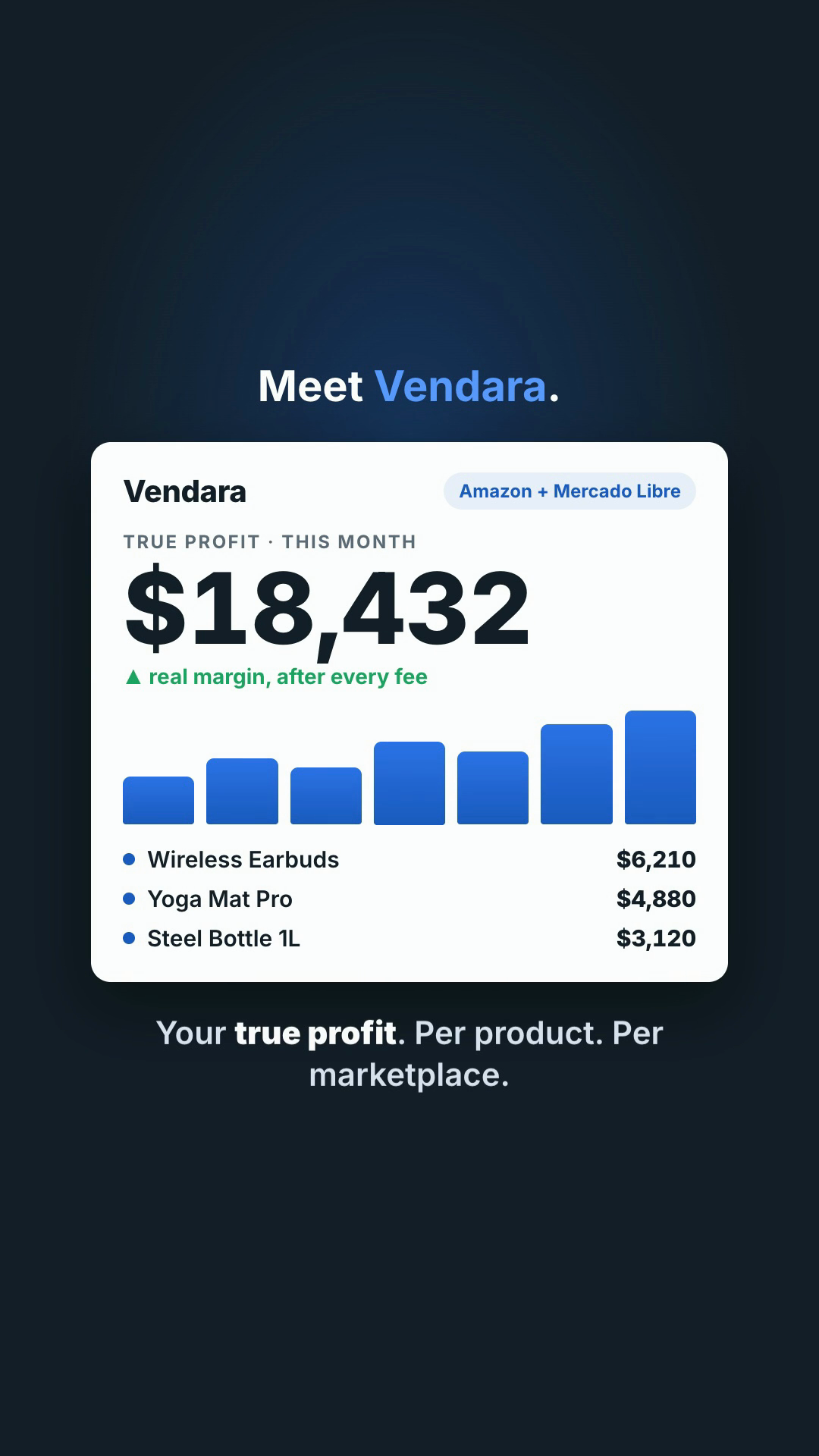
The app sits behind a login, so a raw screen recording was not an option. I built the dashboard as a small block of HTML and CSS instead, using the real brand tokens. A built mock is sharper than a screenshot anyway: no cursor, no stray browser chrome, every number chosen to make the point.
5. Render, then read the frames
Rendering a thirty-second vertical took under a minute. Then I pulled single frames at the key moments to check them like stills: is the hook readable, does the dashboard hold up, is the call to action obvious. The contrast checker flagged some warnings, but a frame-by-frame look showed they were false positives from the crossfades. The frames are the truth, not the linter.

Where it usually goes wrong
- Pretty, but no structure. If the beats don't sell, motion won't save them. Get problem, agitate, reveal, payoff right on paper before you design a thing.
- Invented brand. Guessed colors and fonts make it look like a knockoff of the product. Pull the real tokens from the design, like in step 2.
- Everything moving at once. That reads as chaos. Motion should pull the eye to one thing per beat, then settle.
Now try this
- Spin a variant. Change the hook line and the track, re-render: a second ad to test, in five minutes.
- Resize it. Same composition, a 1:1 and a 16:9 cut for other placements.
- Batch them. Three hooks, one render script, and a scheduled task that rebuilds them whenever the copy changes.
What I used
- Claude — wrote the composition and took plain-English timing notes
- HyperFrames — HTML and GSAP as the video source, rendered to MP4
- ffmpeg — pulled the still frames for the quality check
The takeaway
Treating a video as code collapses the gap between an idea and a finished cut. The skill that matters is not the editing software, it is knowing the structure that makes an ad work and being able to direct the tools to build it. The ad above is a spec piece, but the workflow is the real product: once it exists, the next variation is a five-minute change and a re-render.
I build websites, automations, and AI tools, and ship in weeks what used to take quarters.
See the studio ↗