Your first n8n automation
Someone fills out the form on your site and, a second later, Telegram buzzes with their name, their email, and where they came from. No opening your inbox, no checking anything. It's two pieces in n8n, and they go together in a few minutes.
n8n is an automation tool: you connect boxes (nodes), each one does a single thing, and the data flows from one to the next. Here you only need two. One that listens when a lead comes in from your site, and one that pings you on Telegram. Here's the whole picture:
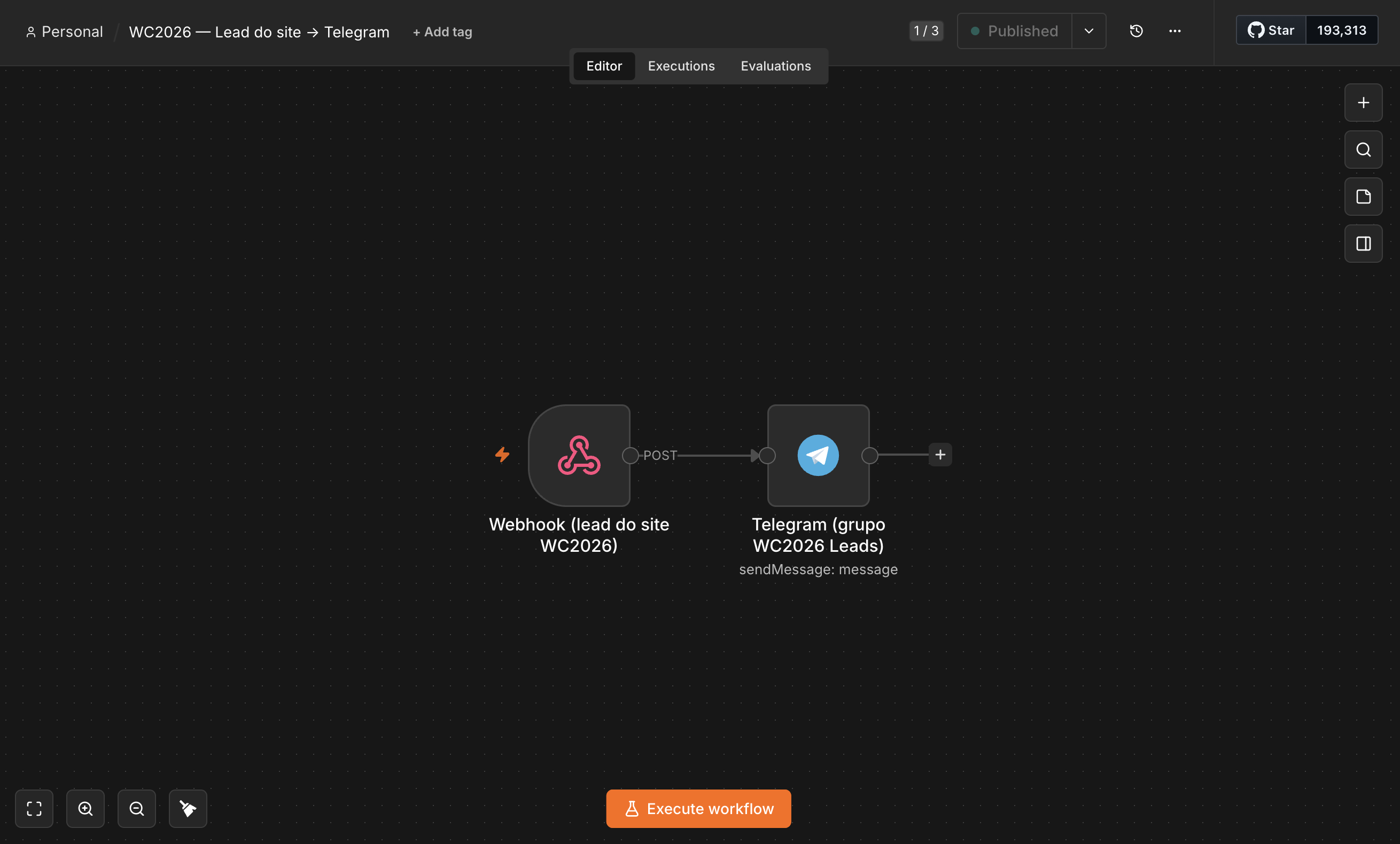
Why this one is worth learning once: a webhook is a universal front door. Anything that can send a web request can knock on it, a form, another app, a script. And the second node is swappable. Learn the webhook-to-action shape once and you can wire almost any "when X happens, do Y" without standing up a backend.
1. The Webhook: the front door
The Webhook node gives your flow its own address on the internet. When your site sends the form to that address (a POST), n8n picks it up and starts the flow.
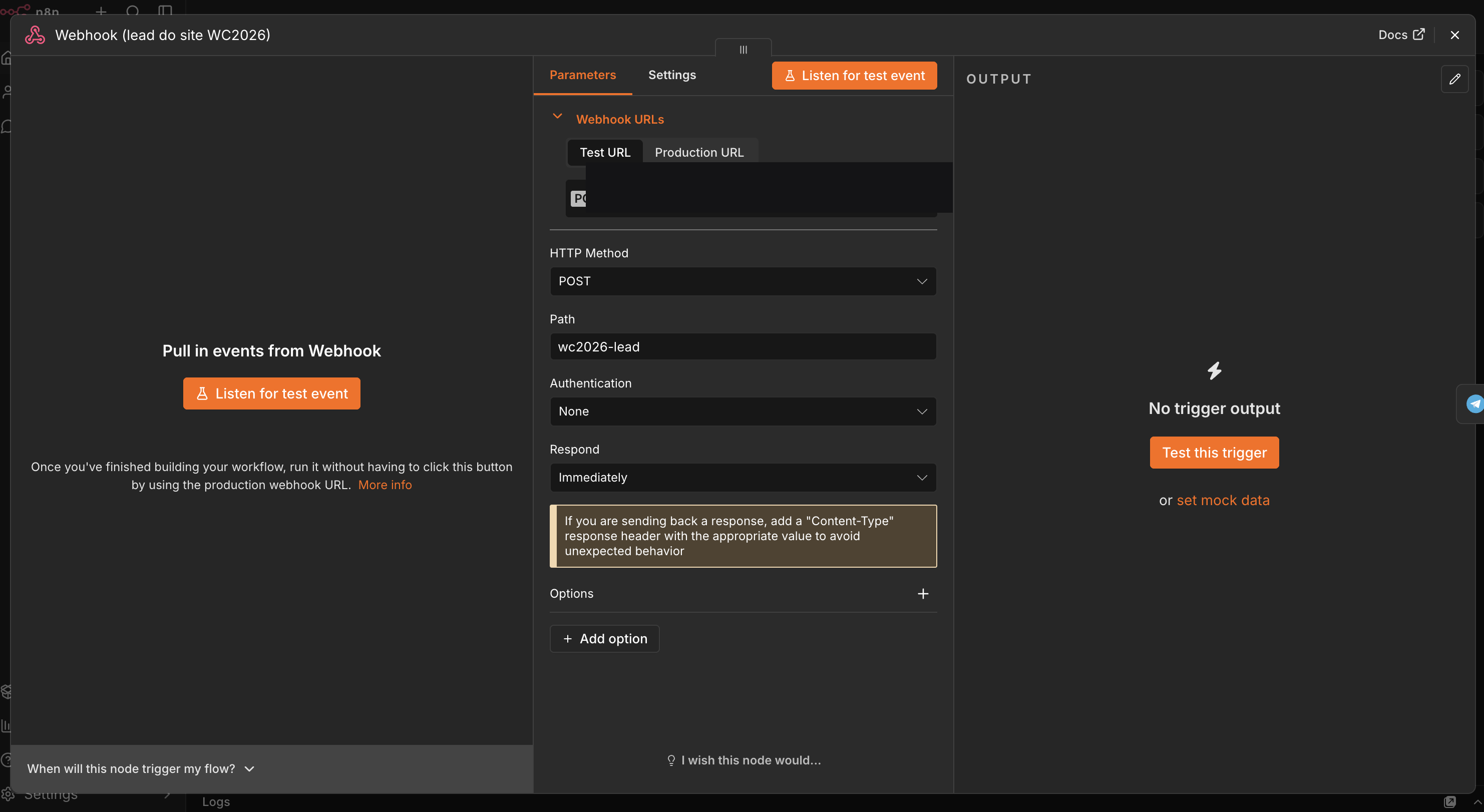
The only thing you decide here is the method (POST) and the path. n8n gives you the full URL up top; copy it, you'll need it in the last step. Leave authentication on "None" for the first test, but set a key before you use it for real: an open URL can be called by anyone.
2. The Telegram node: the ping
The second box takes the lead's data and sends it to you. First you need a Telegram
bot (you create it by chatting with @BotFather on Telegram, which gives
you a token) and save it as a credential in n8n.
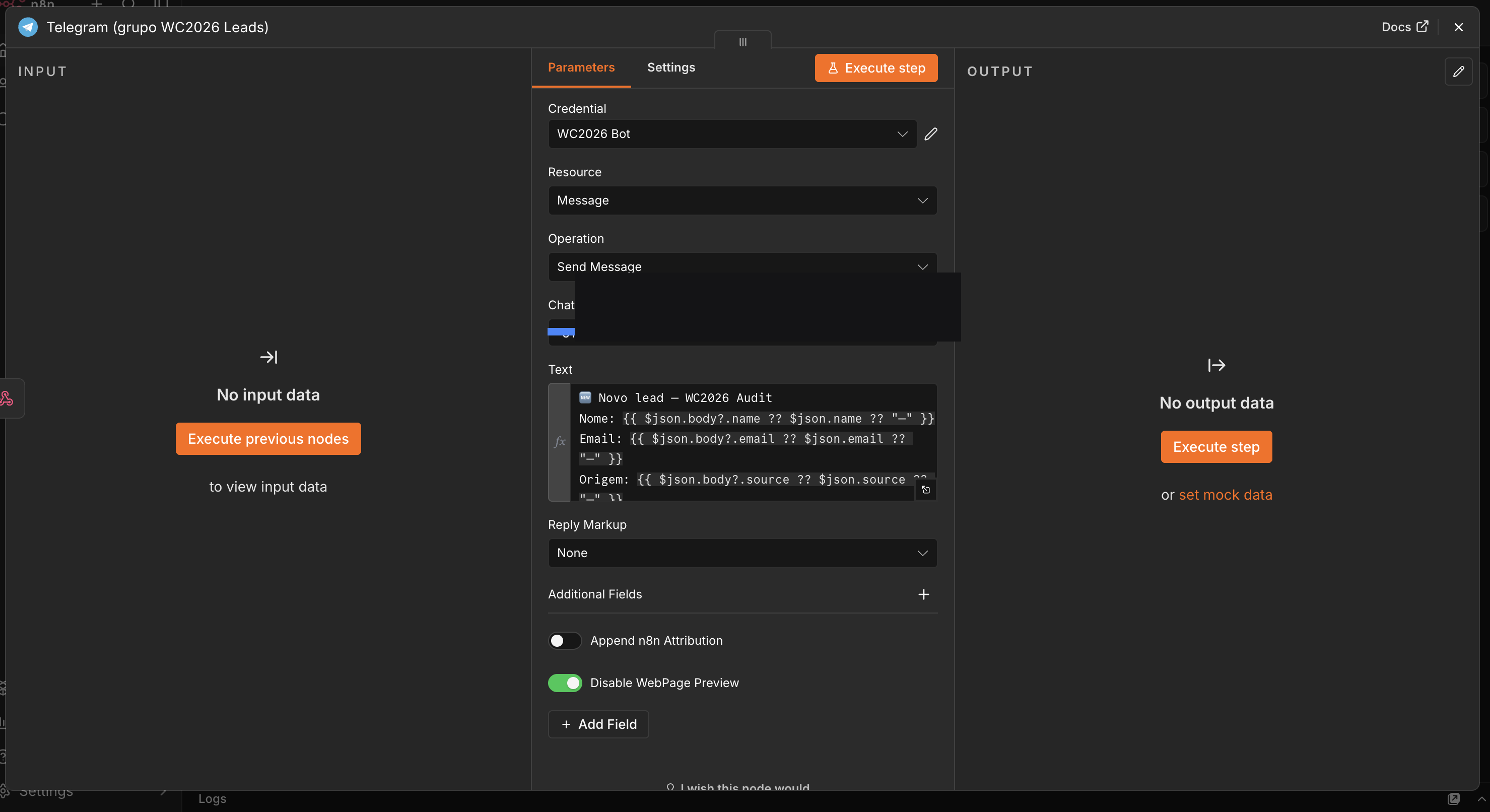
{{ $json.body.name }} drops the lead's real data into the message.
The interesting part is the text. Whatever you write gets sent as is, but the bits
inside double braces get filled with the data that came from the form:
{{ $json.body.name }} puts in the name,
{{ $json.body.email }} the email. So the message
arrives with the information already in it, not empty.
3. Connect your site
One last wire to run: your form needs to send its data to the webhook URL. On the site, when someone submits the form, you make a POST to that address with the fields in the body. That's it: the site sends the lead, n8n receives it, and Telegram pings you.
To test it without touching the site yet, n8n has a "Listen for test event" button: you hit it, send a test POST to the URL, and watch the data come in live.
When something breaks
First-automation snags, and the fix:
- The test event never arrives. You're posting to the wrong address. n8n has a separate test URL and production URL; while testing, hit "Listen for test event" first and post to the test one.
- Telegram says "unauthorized," or nothing comes. The bot token is wrong, or you never messaged the bot. Open a chat with it, send
/startonce, then resend. - The message arrives empty. The field path doesn't match the data that came in. Look at what n8n received and copy the exact path: it might be
{{ $json.body.name }}or just{{ $json.name }}. - Works in test, dead in production. The workflow isn't Active. Flip the Active toggle, and point your form at the production URL, not the test one.
Now try this
Two nodes was the lesson. The reach:
- Swap the second box. Save the lead to a Google Sheet, push it to your CRM, or email it. Same webhook, different action.
- Add a filter. Drop an IF node in the middle so only the leads that matter ping you.
- Send a digest instead. Collect the day's leads and have a scheduled task send the list each evening, one message instead of twenty.
- Chain it. One trigger, several actions in a row: ping you, tag the lead, and auto-reply to them.
What you just built
Something that happens on its own: a lead comes in, a ping goes out, with you not watching. And the pattern isn't only for Telegram. Swap the second node and the same webhook saves the lead to a spreadsheet, drops it into your CRM, or emails it to you. The first automation is the hard one; the second is just swapping a box.
Drop your email and I'll ping you when the next build goes up, with the code and prompts I used. No spam.
More tutorials ↗